Japan Entry QR: How to Register
Traveling to Japan
Getting Started with Visit Japan Web
Hi! I’m a world travel blogger,
Traveling Gomyammi.Welcome to my blog!
When you’re planning a trip to Japan, one name you’ll keep seeing as you look into getting your Japan entry QR code is
Visit Japan Web.It comes up everywhere!

If this is your first trip to Japan,
or your first visit in a while,
you’re probably wondering: Do I actually have to register?
What information do I need to enter?
Can I register the people traveling with me, too?
There are a few details that can be surprisingly confusing.
So today, I’m walking you through how to register with Visit Japan Web,
get your Japan entry QR code, and add accompanying family members,
all in one place.
|
What Is Visit Japan Web? |
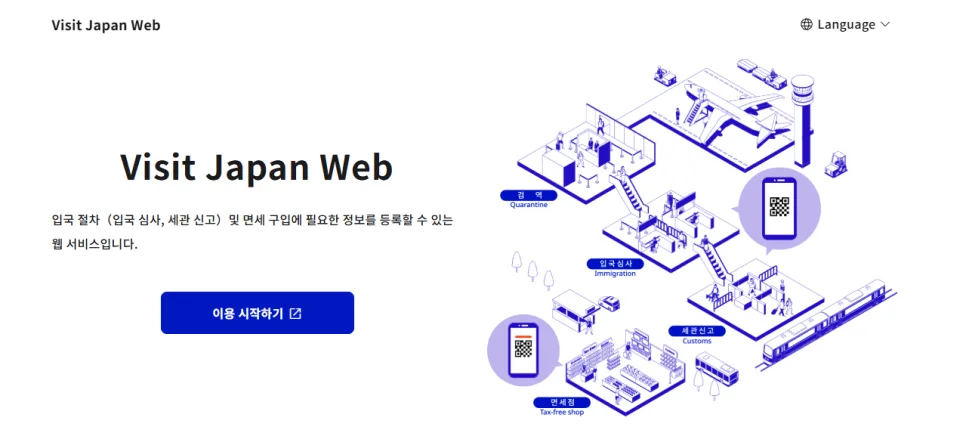
Click “Language” at the top and select your preferred language. I chose Korean.
Visit Japan Web is a Japanese government service
for completing arrival procedures online.That’s the basic idea!
You enter your immigration and customs declaration information in advance,
then generate a QR code.
It’s also reportedly being incorporated into Japan’s tax-free shopping system
as part of the changes starting in November.
With Visit Japan Web, when you arrive,
you can scan your QR code instead of filling out and submitting paper forms.
That’s why I think it’s worth setting up before you leave.
Especially if you’re traveling with a big family!
You can enter the information below before leaving South Korea,
so it’s ready when you arrive in Japan.
It isn’t mandatory, but every minute saved
is another chance to squeeze in a dango—a sweet Japanese rice dumpling!
|
Preregister your immigration information for Japan Preregister your customs declaration Generate and present your QR code Add accompanying family members’ information Free to use One thing to watch: if your passport is close to expiring, you won’t be able to register with Visit Japan Web. |
|
What You Need to Register with Visit Japan Web |
|
A valid passport (with at least one month remaining before expiration) An email address Your planned arrival date in Japan Your airline and flight number Your accommodation’s name and address in Japan Your accommodation’s phone number in Japan |
To find your hotel’s name and address, look it up on Google Maps
or check the reservation details on your accommodation booking site.
Both are easy ways to find what you need!
If you’re staying at several hotels,
enter the details of your first accommodation after arriving in Japan.
Keep your booking confirmation open while you register—it makes the process much easier.
|
How to Register with Visit Japan Web |
https://services.digital.go.jp/ko/visit-japan-web/
First, create an account.
Then register your personal details and passport information.
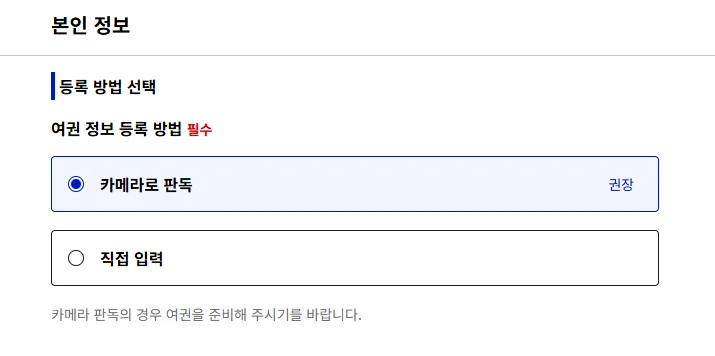
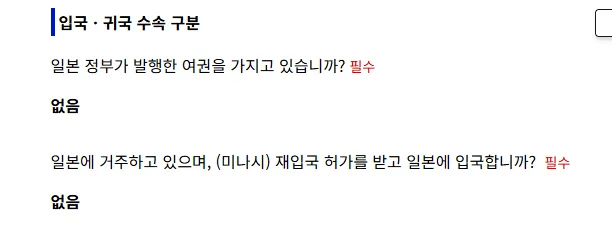
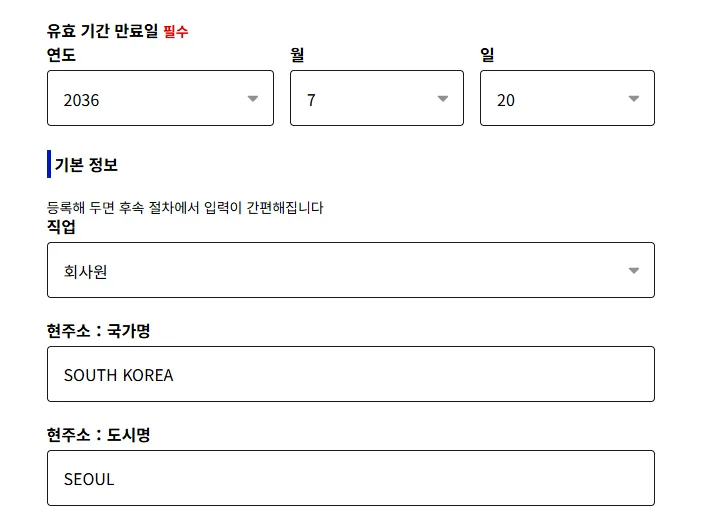
For this browser-based walkthrough, choose manual entry,
then enter your passport expiration date, occupation, country, and city.
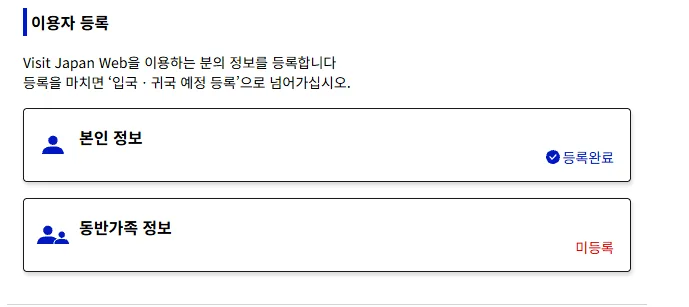
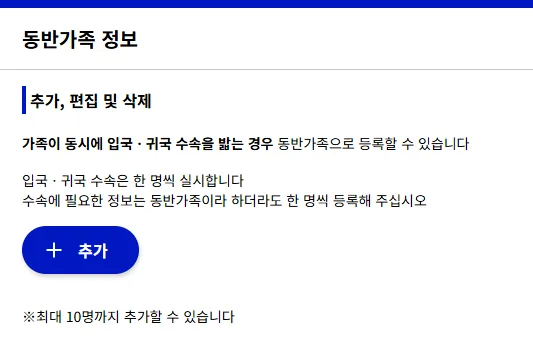
You can also add accompanying family members.
If you’re completing entry or return procedures together,
you can register them under your account. You can add up to 10 people.Handy for a family trip!
A quick note: you can enter your family members’ details through one account,
but each person still needs their own QR code.

Next, select the option to register a new planned entry or return,
then enter your accommodation and flight details.
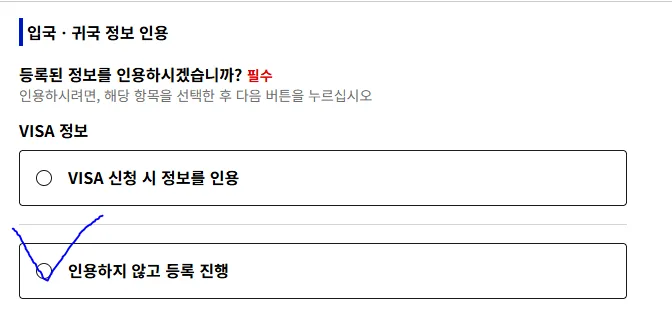
In the visa information section, if you’re using the same destination and accommodation as on your visa application,
choose: “Use information from visa application.” Click that option to reuse those details.
If you’re heading somewhere new or staying at a different property,
choose: “Proceed with registration without using visa information.” Then continue with your new details.
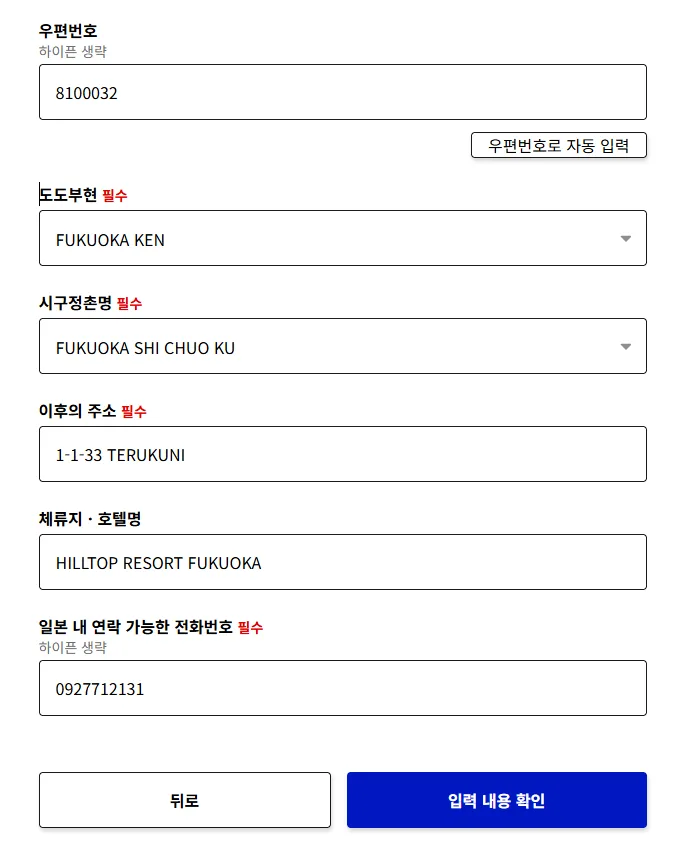
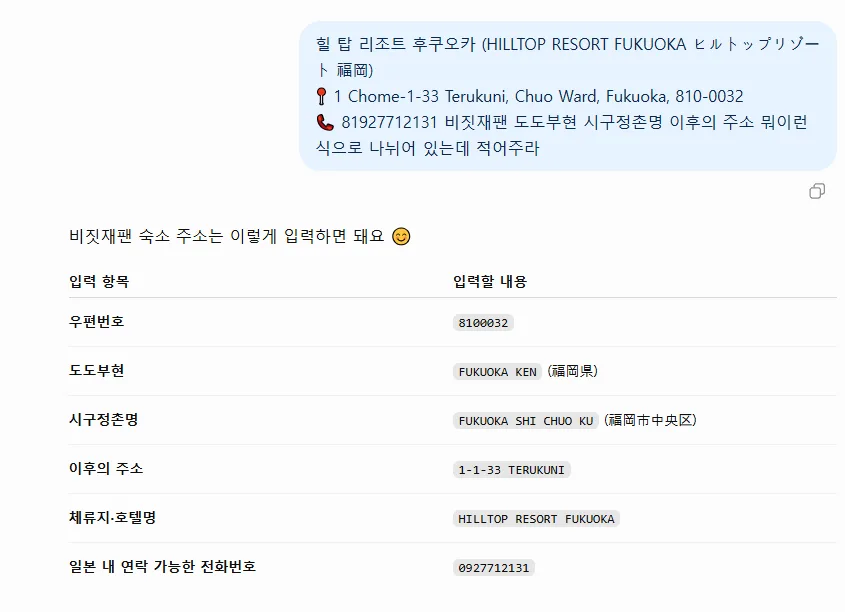
I found that asking GPT to “format this for Visit Japan Web”
worked well for splitting the address into the right fields.
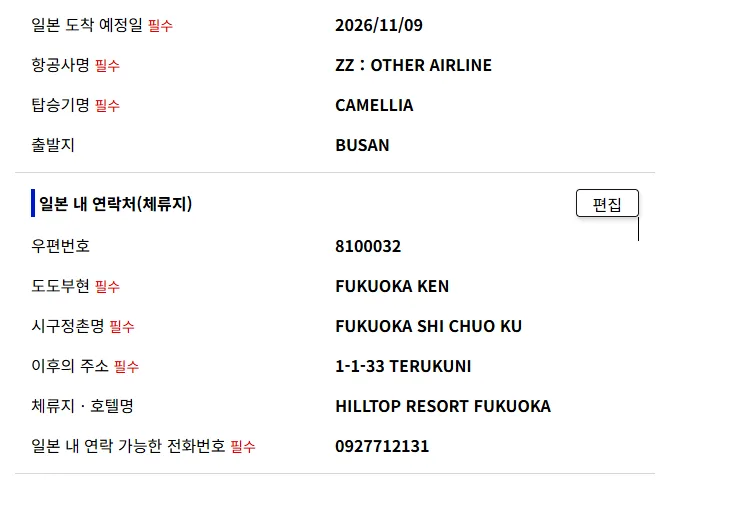
Example
Although the fields ask for an airline and flight number,
they can also be used for travel by ship.
If you’re arriving or departing by cruise, enter the details here, too.
For example, if you’re taking the Camellia ferry to Fukuoka, Japan,
enter the details as shown:
ZZ: Other airline
Camellia
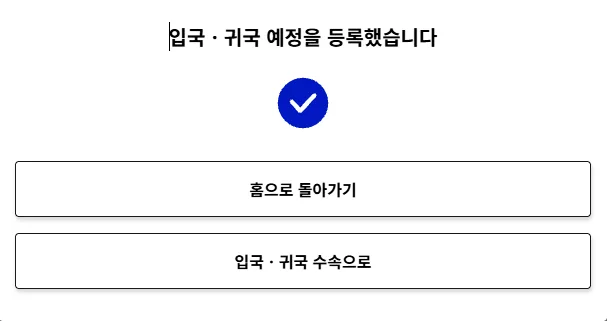
— Your Japan Entry QR Registration Is Complete! —
You know how booking platforms change their promotions every month?
One focuses on tours,
another pushes hotel deals,
another discounts flights,
and another offers attraction tickets—each has something different.
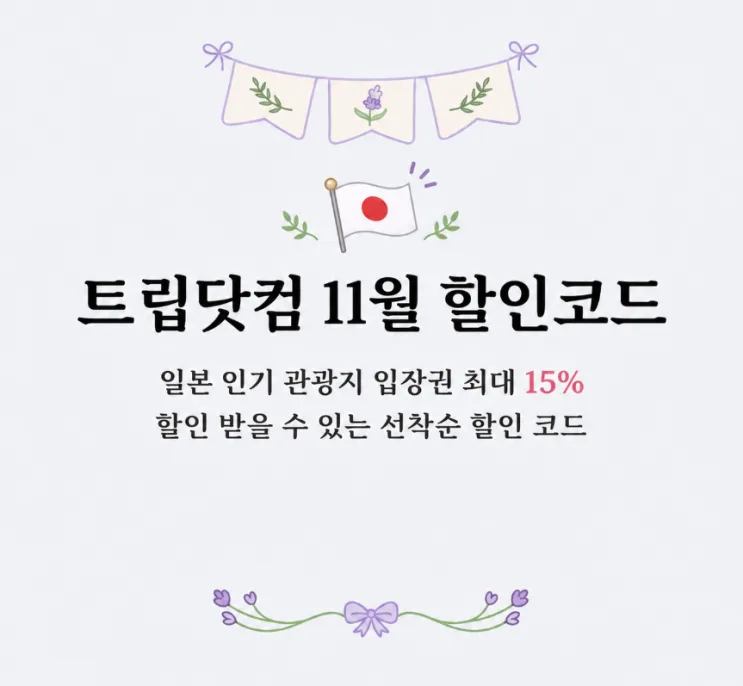
I’ve rounded up the cheapest places to book in November,
with all the deals in one place!
Where to Find Japan Attraction Tickets
at the Lowest Prices Right Now
(Including Warner Bros. Studio Tour Tokyo – The Making of Harry Potter,
SHIBUYA SKY, Tokyo DisneySea, and more:
the booking platforms with the lowest prices for these attraction tickets.)
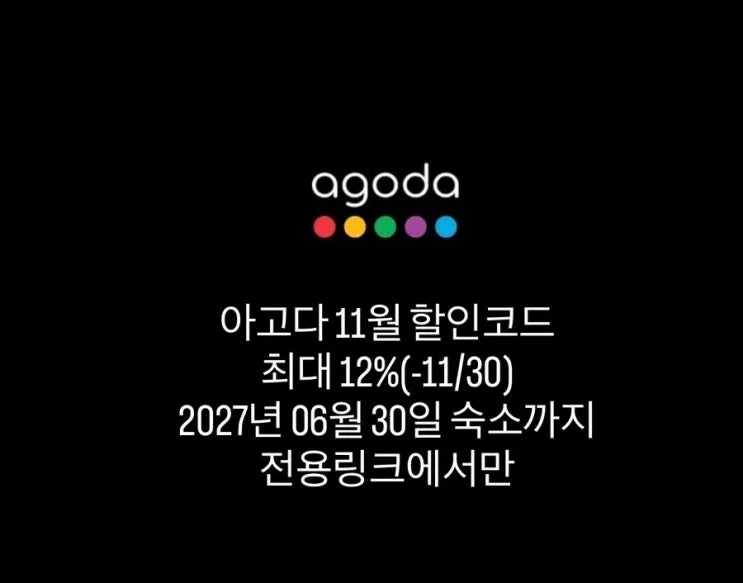
How to Book Accommodation in Japan for Less
A roundup of the accommodation discount codes
Agoda has released for November.
Where to Find Cheaper Tours in Japan
(Including bus tours, city tours, and more.)
The same tour costs over ₩10,000—roughly $7—less here.
#VisitJapanWeb #VisitJapanWebCruise
#VisitJapanWebRegistration #HowToFillOutVisitJapanWeb
#VisitJapanWebTips #VisitJapanWebFamilyRegistration #VisitJapanWebCruiseDetails
#VisitJapanWebHotel #VisitJapanWeb